
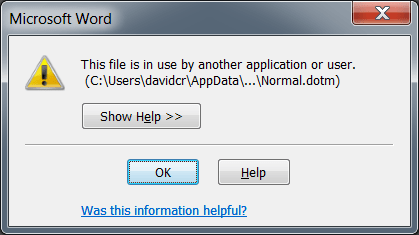
When you are automating Microsoft Word you may get a message similar to the following that appears when trying to Quit() the application:
This file is in use by another application or user.
(C:\Users\…\Normal.dotm
This is followed by several more prompts, like the Save As dialog and then this:
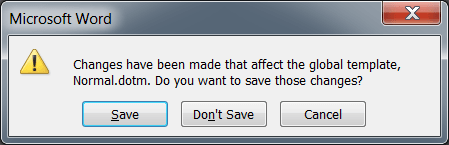
Changes have been made that affect the global template, Normal.dotm. Do you want to save those changes?
Typically, this occurs when there are multiple instance of WINWORD.EXE in memory. The problem occurs when one of them does something to the application (like changing a setting, macro or style) and ultimately causes those changes to be saved to the normal template. Typically, the first instance that closes locks the file and this causes the subsequent instances to be flagged to prompt you to save the changes.
This issue has been detailed here:
Well, this is an issue I encounter often in the field and I have created some code to help with this situation:
/// The deactivate event is called before the application exits.
/// We cannot determine when we exit or not (specifically), but anytime
/// this event fires, we locate the normal template and flip the flag
/// in order to prevent the dreaded "Normal needs to be saved" prompt.
/// </summary>
/// <param name="Doc"></param>
/// <param name="Wn"></param>
void Application_WindowDeactivate(Word.Document Doc, Word.Window Wn)
{
try
{
object objectIndex = 0;
// loop through all the loaded templates
for (int idx = 1; idx <= Application.Templates.Count; idx++)
{
objectIndex = idx;
Word.Template t = Application.Templates.get_Item(
ref objectIndex);
// look for normal
if (t.Name.ToLower().Contains("normal.dotm"))
{
// found it – set the flag and leave the loop
t.Saved = true;
break;
}
}
}
catch { } // something bad happened – but we will ignore it
}
Essentially, you attach to the Window Deactivate event and look for the Normal.dotm in the Templates collection and set the flag to saved. We have to place this in the Deactivate event because the Normal.dotm prompt occurs before your add-in unload event. Therefore, on deactivate just before the application quits, the Normal template flag is flipped to prevent the prompt. Here is how you hook up this event:
Application.WindowDeactivate += new Microsoft.Office.Interop.
Word.ApplicationEvents4_WindowDeactivateEventHandler(
Application_WindowDeactivate);


 WHAT!!!!


