

If you have been doing much work in VSTO and especially around Excel and embeddings, you may have been bit by this bug. Does this error look familiar:
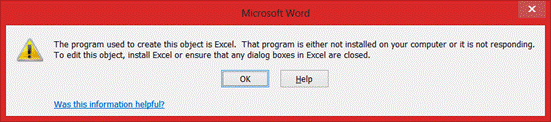
“The program used to create this object is Excel. That program is either not installed on your computer or it is not responding. To edit this object, install Excel or ensure that any dialog boxes in Excel are closed.”
This error can be caused by the following:
- A .NET3.5 Add-in or a .NET 4.0 Add-in
- You have attached to the WorkbookOpen and/or WorkbookActivate events.
- You are trying to edit/open/double-click on an embedded Excel instance inside a Word or PowerPoint document.
There have been several reports of this problem on the Microsoft MSDN site:
There are also a number of KB articles that document the problem and attribute it to specific programs:
The problem is specifically documented here:
Simple Solution
The basic simple answer is to place a Marshal.ComReleaseObject(Wb) at the end (or better, in the Finally block) of your event handlers. This will properly allow Word and excel to handle the OLE communication by not having VSTO hang on to an instance handle of the workbook, therefore causing the error.
And this is not carte blanche to start placing ComReleaseObject() all over your code. I have found VERY VERY few limited cases where using ComReleaseObject() in an add-in necessary. And this is one of them. 

Orphan Issue
It is not a panacea, either. 
That is where a solution I created for Excel/Word OLE interaction comes in here:
This add-in is very well commented and explains the following:
- When a workbook is opened, it looks to see if it is embedded.
- If it is, it connects to the running instance of Word, and gets a reference to the parent document.
- A timer in the add-in will then continually check the status of the document
- If the parent document is still opened, nothing happens. However, if Word is existed or the parent document is closed, the child embedding is forced closed.
IMPORTANT NOTE
However, and this is important note. For everything you do, you are in the sandbox with other kids. 
That is what makes this issue so vexing. 
There are few options and most involve a lot of code. I say, TEST. If your are in an Enterprise environment, test all your VSTO add-ins together, find code owners and get everyone on the same page. If it is a vendor add-in causing the problem, point them here. 